WebSite X5 software registration
Step 1- Start software setup.
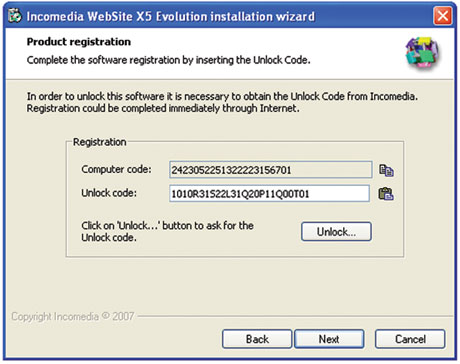
- Setup will show a window as the following one.
- Setup will show your Computer Code.
- Click on "Unlock...", in order to connect to Internet and retrieve the Unlock code.

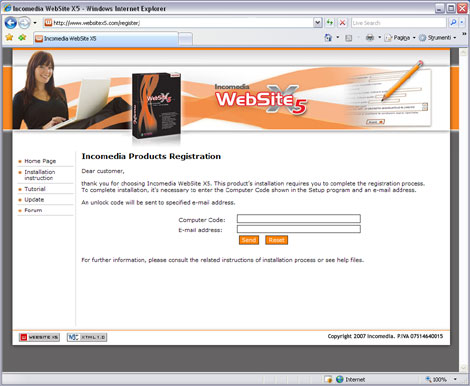
- It will be automatically launched your default browser and you will be connected to Incomedia registration website.
- Your Computer Code will be automatically entered in the Internet page.
- Press the Go button.
New customer
If it's the first time you install the software you will be asked to complete the online registration form. You will have to enter the Product Code you find inside this box.
Step 3
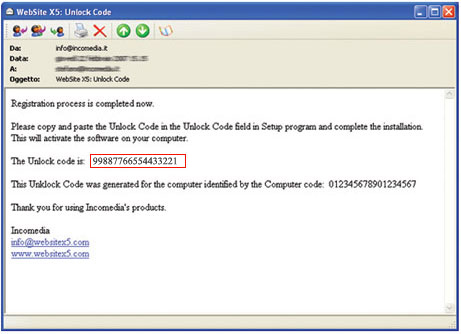
- Now the Unlock code will be automatically sent to you via your e-mail.
- Close your Internet Browser and download the e-mail.
- Copy the Unlock Code from the e-mail message and back to WebSite X5 Setup.
- Press on Copy button as shown in the following image.
- Click on click here, to ask for the Unlock code.
- Press on Paste button as shown in the following image.
- Congratulation, now the software is registered and you can complete the installation.